No Dock icon, no clutter
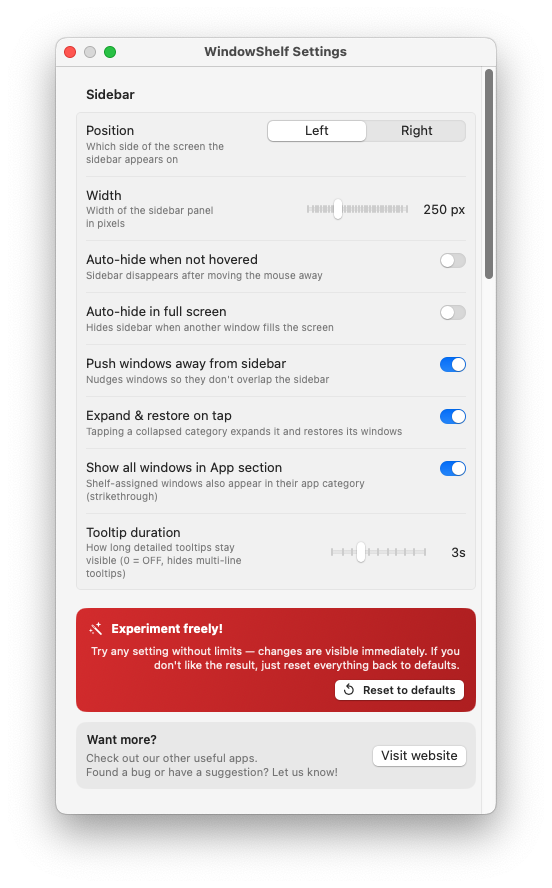
LSUIElement means WindowShelf never appears in your Dock or app switcher — just the menu bar icon.
No Electron. No Dock icon. No overlays cluttering your screen. WindowShelf is a native Swift app that runs from the menu bar and stays out of your way.

LSUIElement means WindowShelf never appears in your Dock or app switcher — just the menu bar icon.
Some window managers draw zones, grids, or tinting over your screen. WindowShelf toggles a sidebar that slides in and out.
SwiftUI + AppKit + Accessibility API. No web views, no bundled runtimes, no heavy dependencies.
Launches with macOS login in under a second. Ready before your first window opens.
Many popular productivity tools are built on Electron — a framework that bundles an entire Chromium browser engine into every app. This means a "simple" window manager can consume 200–400 MB of RAM, spawn multiple background processes, and take several seconds to launch. Some tools draw persistent overlays, grid zones, or preview layers on top of your desktop, adding GPU load that was not there before.
WindowShelf avoids all of this. It is built with Swift and AppKit — the same frameworks Apple uses for Finder and Mail. The sidebar is an NSPanel, a native macOS panel type designed for tool palettes and inspectors. Because it uses the system’s own rendering pipeline, there is no embedded browser engine, no web view, and no JavaScript runtime burning cycles in the background.
Idle memory usage sits well below 30 MB. Even with 40+ windows in the sidebar, memory rarely exceeds 35 MB. Compare that to Electron-based alternatives that start at 150 MB empty.
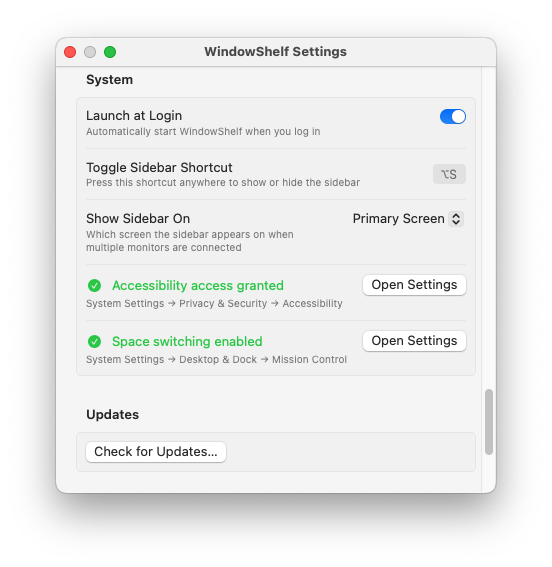
WindowShelf launches with your Mac at login via SMAppService. It reaches a ready state before most apps finish loading their splash screens. The sidebar is available instantly when you hover the edge.
Between refresh cycles (every 1.5 seconds), the app sleeps. The background queue reads the Accessibility window list, updates the model, and goes quiet. No polling loops, no watchers, no timers running at high frequency.
No drag zones painted on your screen. No grid lines, no snap previews, no tinting. The sidebar appears at the edge, and when it auto-hides, your desktop is completely unmodified. The only visible element is a 3-pixel trigger strip at the screen edge.
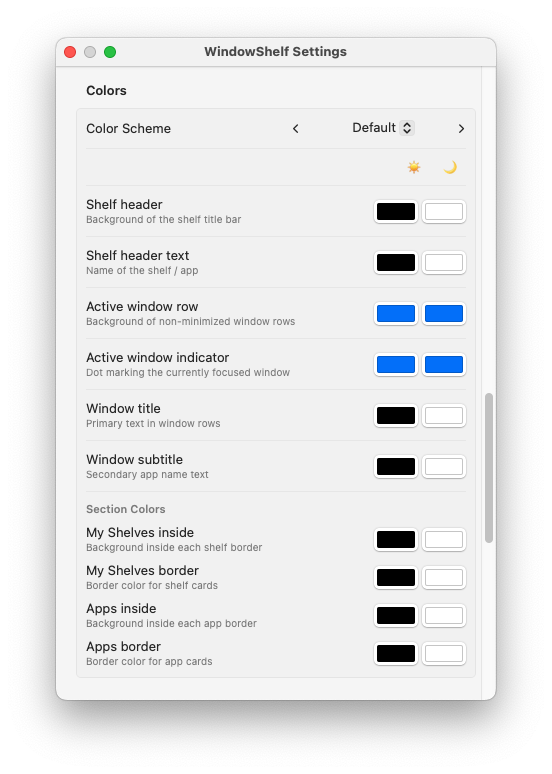
Small footprint sometimes implies missing features. WindowShelf is lightweight in resources but full-featured in capability. It includes window switching with keyboard navigation, custom shelves for grouping, eight tiling positions, per-category show/hide, thumbnail previews, web favicons for browser tabs, Show Desktop with restore, drag-and-drop reordering, 16 color presets with dual light/dark theme support, multi-monitor targeting, and Sparkle auto-update. All of that in a single binary under 10 MB on disk, running in under 30 MB of memory.
Electron-based tools depend on Chromium, which receives major updates every four weeks. Each Chromium update can change rendering behavior, memory management, or security policies. Developers must constantly update their Electron dependency just to keep the app functional, even if the app itself hasn’t changed. This creates a maintenance treadmill that sometimes leads to abandoned projects.
WindowShelf uses Swift, SwiftUI, and AppKit — frameworks maintained by Apple and updated with each macOS release. Apple ensures backward compatibility across multiple macOS versions (WindowShelf supports macOS 13.0+). When a new macOS version ships, native apps typically work without modification. When they need adjustment, the changes are well-documented in Apple’s release notes.
For users, this means a tool that keeps working year after year without requiring frequent updates or growing in size. WindowShelf’s binary stays small because it does not bundle a browser engine. Its memory usage stays low because SwiftUI renders views natively through Metal, not through a web rendering pipeline. And its startup time stays fast because there is no JavaScript runtime to initialize.
The result is an app that feels like a natural extension of macOS rather than a third-party add-on. It follows Apple’s Human Interface Guidelines, uses standard macOS controls, and integrates with system features like the Keychain (for update signing keys) and SMAppService (for launch-at-login). This deep integration is only possible with a native codebase.
Native Swift app, under 30 MB RAM, no Dock icon, no overlay windows. See the full window manager comparison.
Completely. The only network call is an optional Sparkle update check.
WindowShelf is free — no paywall, no trial, no subscription. Also works as a fast window switcher.